A vibe coding production app can pass a demo with a clean UI, smooth flow, and every feature working as expected, yet still hide serious problems in the underlying codebase.
This article is a five-minute self-check. Score your app across six dimensions, each from 0 to 2, and land in one of three bands: Demo, Beta, or Production-Ready.
What is a Vibe Coding Production App and “Production-Ready”?
Vibe coding means building software by giving an AI coding tool high-level, natural-language direction rather than writing every line by hand. Andrej Karpathy coined the term in February 2025 to describe code that “grows beyond my usual comprehension.” The developer directs, the model writes.

The tools that popularized the practice are now familiar: Cursor, Claude Code, GitHub Copilot, Lovable, Bolt, Replit, Windsurf, and v0. Each can generate working code from a prompt, often across an entire feature or app in a single session, at high speed.
Vibe coding describes how the first version of an app gets built. It says nothing about whether that version can handle real users, pass a security review, or be maintained by an engineer other than the one who prompted it. That is the key gap between a vibe-coded app and a vibe-coded production app.
A production-ready vibe-coded app needs to be secure, tested, deployable without manual steps, observable when something breaks, and understandable to the team that owns the code.
To determine whether your app is truly production-ready, the rest of this scorecard evaluates these areas individually.
Why a Great Vibe Coding App Demo Doesn’t Mean It’s Production-Ready
A working demo and a production-ready app are judged by different standards. A demo only needs to work for a few minutes in front of a friendly audience. Meanwhile, a production app needs to handle real users, unexpected behavior, and continuous use at any hour.
The difference is not the AI coding tool itself, because the same tool can generate both a demo and a production-ready app. What matters is what the team checks, tests, and fixes after the code is generated.
Production readiness is not a simple yes-or-no question. An app can look solid in a demo while still having serious gaps under real-world conditions. The better approach is to check each area individually:
- Security: Are secrets protected? Is authentication and authorization handled correctly?
- Data integrity: Can the database schema and migrations handle real production data safely?
- Test coverage: Are critical user journeys covered by automated tests, beyond the happy path?
- Deployment automation: Can the team deploy reliably without manual server access or undocumented steps?
- Observability: Can the team detect errors, outages, and unexpected user behavior before customers report them?
- Codebase comprehensibility: Can the team explain the architecture and maintain the code without relying on the AI that generated it?
These are the same areas that can surface during technical due diligence or when a new engineer takes ownership of the system. A successful demo only shows that the app works under controlled conditions. Production readiness means knowing what happens when those conditions disappear.
Score Your App: The Full 6-Dimension Scorecard
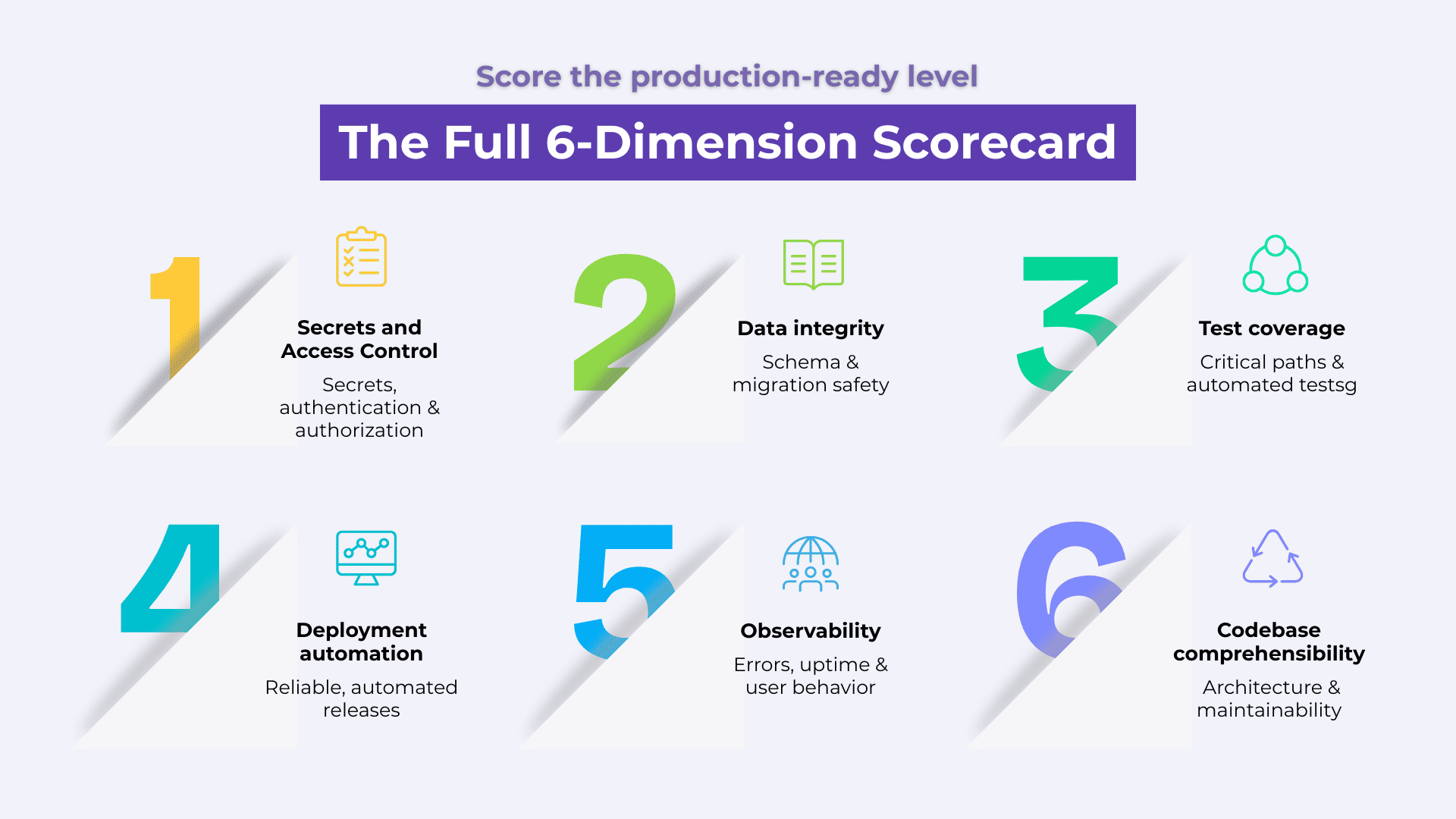
| Dimension | 0 (Demo) | 1 (Partial) | 2 (Solid) | Your score |
| Secrets and Access Control | Secrets in repo or chat history | In env vars, unscanned | Vault-managed and scanned | |
| Data Integrity | Never reviewed | Reviewed, untested migrations | Migrations tested on real data | |
| Test Coverage | No automated tests | Unit tests only | End-to-end on critical paths, in CI | |
| Deployment Automation | Manual, no gate | Automated, no gate | CI-gated, blocks failures automatically | |
| Observability | No monitoring | Uptime checks only | Errors, uptime, and analytics | |
| Codebase Comprehensibility | No one can explain it | One person can, undocumented | Team can explain it, documented |
Each of the six dimensions is scored from 0 to 2:
- 0 (Missing): You have not addressed the dimension at all.
- 1 (Partial): Something is in place, but you have not tested it properly or apply it inconsistently.
- 2 (Solid): You handle the dimension at the level expected of a production system.
That gives you a maximum score of 12 points. Use the total score to understand where the app stands:
- 0 4: Demo stage. The app may look polished, but it has not yet been tested enough to demonstrate production readiness.
- 5 8: Beta stage. The app may be suitable for a closed pilot, but it is not ready for a fundraise or an unsupervised production launch.
- 9 12: Production-ready foundation. The key risks across all six dimensions have been addressed well enough to support real-world use, with appropriate testing and safeguards in place.
The score is not a substitute for a proper technical review. It is a quick way to identify where an AI-built application still has gaps before real users, real data, and real traffic expose them.
This is not a pass-or-fail test. It is a prioritization tool for moving from vibe coding to production. The most useful result is often the score for each dimension, because the weakest area is usually where problems surface first under real traffic or technical scrutiny. These six dimensions also closely match the areas a technical due-diligence review would examine before a fundraise or acquisition.
How we close this gap
Our AI and intelligent automation practice runs agentic work the same way we run mission-critical delivery. We treat specs as real contracts, have AI agents build against them, and put a human check in place before anything reaches production. That’s the difference between code that demos well and code a due-diligence reviewer can sign off on.
Dimension 1. Secrets and Access Control: Can Your Credentials Pass a Security Review?
Vibe coding security starts with basic credential management, yet many vibe-coded apps fail this first check. If a stranger cloned your repository today, they might be able to find a working API key, database credential, or other secret.
The most common problems fall into three areas:
- Hardcoded credentials: API keys or database URLs are stored directly in the source code instead of environment variables or a secrets manager.
- No secrets scanning: The development workflow does not use tools such as git-secrets or TruffleHog to detect exposed credentials before code is committed.
- Inconsistent secret management: Some secrets are stored in a .env file, while others may remain in configuration files or have been pasted into an AI coding prompt during development.
Any of these issues can raise concerns during a basic security review, and exposed credentials are relatively easy to detect. A reviewer can scan a public or shared repository for exposed secrets in minutes, which makes credential management one of the first areas to check in a technical due-diligence review.
How to score this dimension
- 0: Secrets are stored in the repository or exposed in AI chat history.
- 1: Secrets are stored in environment variables, but there is no automated scan for accidental exposure.
- 2: Secrets are managed through a vault or platform secrets manager, with automated scanning running before code is committed.
Dimension 2. Data Integrity: Can Your Schema Handle Real Traffic Without Breaking?
AI-generated schemas are often optimized for one thing: making the demo work. That does not necessarily mean they are safe to migrate against live production data.
Three patterns account for most of the risk:
- Destructive migrations that can silently drop, overwrite, or alter production data.
- Validation enforced only in application code, rather than at the database layer. AI-generated code can change this logic in a later session without preserving the original constraints.
- No tested rollback path for migrations that fail halfway through deployment.
The dangerous part is that schema problems rarely show up immediately. The application may continue running while the schema gradually drifts from what the code expects. Add a few more AI-generated features on top, and those inconsistencies can accumulate until a migration hits real production data and fails in a way that is difficult to trace back to the original change.
Score this dimension as follows:
- 0: You have never reviewed the schema outside the AI session that created it.
- 1: You have reviewed it, but never tested migrations against realistic production-like data.
- 2: You test every migration against a staging copy of realistic data before the schema change ships.
Dimension 3. Test Coverage: Can Anyone but the AI Verify That It Works?
If the only way to confirm a feature works is to ask the AI that built it, you do not have a test. You have an opinion.
The gap usually shows up in three areas:
- No automated tests at all, or tests that cover only the happy path.
- No end-to-end coverage for critical user journeys, such as signup, payment, or the core workflow the product depends on.
- No regression protection, meaning every new AI-generated change can silently break functionality that nobody is checking.
This is where speed can quietly work against you. Every prompt-and-generate cycle adds more surface area to an application that may have no tests to protect it. The codebase keeps growing, while your confidence in it stays exactly where it started.
Score this dimension as follows:
- 0: You have no automated tests.
- 1: You have some unit tests, but no end-to-end coverage.
- 2: You have end-to-end coverage for critical paths, and those tests run automatically with every change.
Dimension 4. Deployment Automation: Can You Deploy Without Manual Server Access?
A deployment process that lives in one person’s memory, or in an old AI chat thread, is not reliable. It is a single point of failure waiting to cause problems in production.
Watch for three common deployment automation gaps:
- Manual deployments, whether that means drag-and-drop, SSH access, or running a few commands someone happens to remember.
- No build, lint, or smoke-test gates before code reaches production.
- No rollback plan when a deployment introduces a production issue.
Manual deployment can work when one engineer manages one environment. As the team and infrastructure grow, the process becomes harder to maintain and easier to get wrong. A second engineer, another environment, or an unavailable team member can expose the problem quickly.
This is where deployment automation and CI/CD pipelines become important. Automated checks can validate code before deployment, while automated rollback or recovery procedures can reduce the impact when something goes wrong. Our product engineering practice helps teams build CI/CD workflows that catch failing builds and tests before they reach production.
Score this dimension as follows:
- 0: Your deployments are manual, with no pre-deployment checks.
- 1: Your deployments are automated, but no automated gate prevents a failing build or test from being released.
- 2: A CI/CD pipeline runs build, lint, and test steps and automatically blocks a failing deployment.
Dimension 5. Observability: Can You Catch Problems Before Your Users Report Them?
Most vibe-coded applications have little or no observability, which means the first sign of a production issue may be a customer email. Without basic application monitoring, teams have limited visibility into what is happening after an app goes live.
Three gaps appear most often:
- No error tracking, so exceptions and application errors can go unnoticed until users encounter them.
- No uptime monitoring, so outages are discovered by users instead of automated alerts.
- No usage analytics, leaving teams with little visibility into how users interact with the application or where real-world behavior differs from testing.
Without these feedback loops, the support inbox becomes the team’s default monitoring system. By the time a customer reports a problem, the incident may have already been running for hours, depending on how long it took someone to encounter it and report it.
Score this dimension as follows:
- 0: You have no application monitoring or observability in place.
- 1: You have basic uptime monitoring, but no error tracking or usage analytics.
- 2: You have error tracking, uptime monitoring, and usage analytics in place, with someone responsible for monitoring the signals and responding to issues.
Dimension 6. Codebase Comprehensibility: Can Your Team Explain the Code Without Asking the AI?
The biggest risk in vibe coding is having a team that cannot explain the code it has shipped.
This usually shows up in three ways:
- No one on the team can explain the architecture without asking the AI to explain its own output.
- No documentation of major technical decisions, such as why a particular database schema, authentication approach, or framework was chosen.
- Inconsistent patterns across the codebase, often the result of different AI sessions solving similar problems in different ways.
Codebase comprehensibility is difficult to fake during an interview or technical due diligence. A tool can generate code, but it cannot replace the team’s understanding of why the system is structured the way it is. Someone on the team should be able to explain the architecture, key technical decisions, and trade-offs without relying on the AI that generated them.
Score this dimension as follows:
- 0: No one on your team can explain the core architecture without prompting.
- 1: One person can explain it, but the reasoning behind major technical decisions is not documented.
- 2: Your team can explain the core architecture and key technical decisions, and that reasoning is documented somewhere durable.
What a Low Score Actually Means for Fundraising
This is where the business impact of vibe coding becomes concrete. These six dimensions closely overlap with what investors, acquirers, and enterprise buyers may examine during technical due diligence. A working demo is only the starting point.
A low score tells you where the product still has technical risk:
- 0 means fix it first. A dimension scoring 0 represents a fundamental gap that can undermine the rest of the application.
- Partial scores are still signals. A score of 1 means the capability exists, but may not be robust enough for production or due diligence.
Make sure to prioritize gaps that have the highest impact. For example, a hardcoded production secret matters more than several dimensions sitting at 1.
Remember, the goal is to move from “it works in a demo” to “the team can safely operate and explain it in production.”
Investors and enterprise buyers may ask questions beyond whether the product works: How do you test it? How do you deploy changes? How do you detect failures? Can the team explain the architecture? Those are the questions this scorecard is designed to surface.
Final Thoughts
Six dimensions decide whether the jump from vibe coding to production survives contact with real users, real attackers, and a real diligence process, and none of them show up in a demo.
Score it before someone else does: an investor’s technical reviewer, a new hire debugging at 2 am, or a customer who hits the one path nobody tested. The best time to run this scorecard is before any of those three people go looking for you.